
"Can I edit my own website if you custom-code it?" About every second owner asks us that on the first call.
It's a fair worry. Nobody wants to email a developer and wait days to change one date.
This guide shows you how to tell which one you have. It covers what you can change yourself, and what to ask before anyone builds your site.
Can I edit my own website if it's custom-coded?
Yes, if it was built with an editor. A custom-coded website is written by hand instead of assembled in a site builder.
On its own, it has no edit screen. Add a click-to-edit editor and you can sign in, change words and photos on the real page, and press Publish.
Counts of sites without an editor vary, because studies sample and detect differently.
W3Techs finds that 32.1% of sites run no CMS it can detect. The 2024 Web Almanac found about half run one. Either way, a lot of sites have no simple place to edit.
A content management system, or CMS, is the part that lets you change things. MDN describes it as software that lets people publish, change or remove content.
Asking "custom or template?" won't tell you whether you can make edits. Ask "does my site have an editor?"
How do I tell if my site has an editor?
Ask your developer one question: "Where do I go to change my own text?"
A sign-in page made for you means you have an editor. "Just send me the changes" means you don't.
The site isn't broken, but every edit will have to wait on someone else.
You can also check three things yourself:
- Search your email for a welcome message with an "edit" or "admin" link.
- Read your website contract for the words "CMS", "editor" or "content updates".
- Look at your last invoice. A line for "text changes" usually means there is no editor.
Plenty of owners only find out after launch. One Reddit owner had to "google a lot of stuff like a CMS and what a static website is" (r/webdev). A Langley clinic or a Surrey roofer shouldn't need a glossary to change its hours.
Why doesn't changing the text in my browser work?
Because browser edits only change the copy on your own screen. Your browser's developer tools, or DevTools, let you change any page, but nobody else sees it.
Google's Chrome team says DevTools "doesn't save changes" you make to the page (Chrome docs). Reload, and your edit is gone. Your visitors never saw it.
Chrome has a feature called Overrides that seems to keep your change. It does this by saving a copy in a folder on your own computer (Chrome docs).
The real site stays the same. For customers to see your edit, it has to reach the website's own files, where the site is hosted. An editor handles that part.
What can I change myself, and what stays locked?
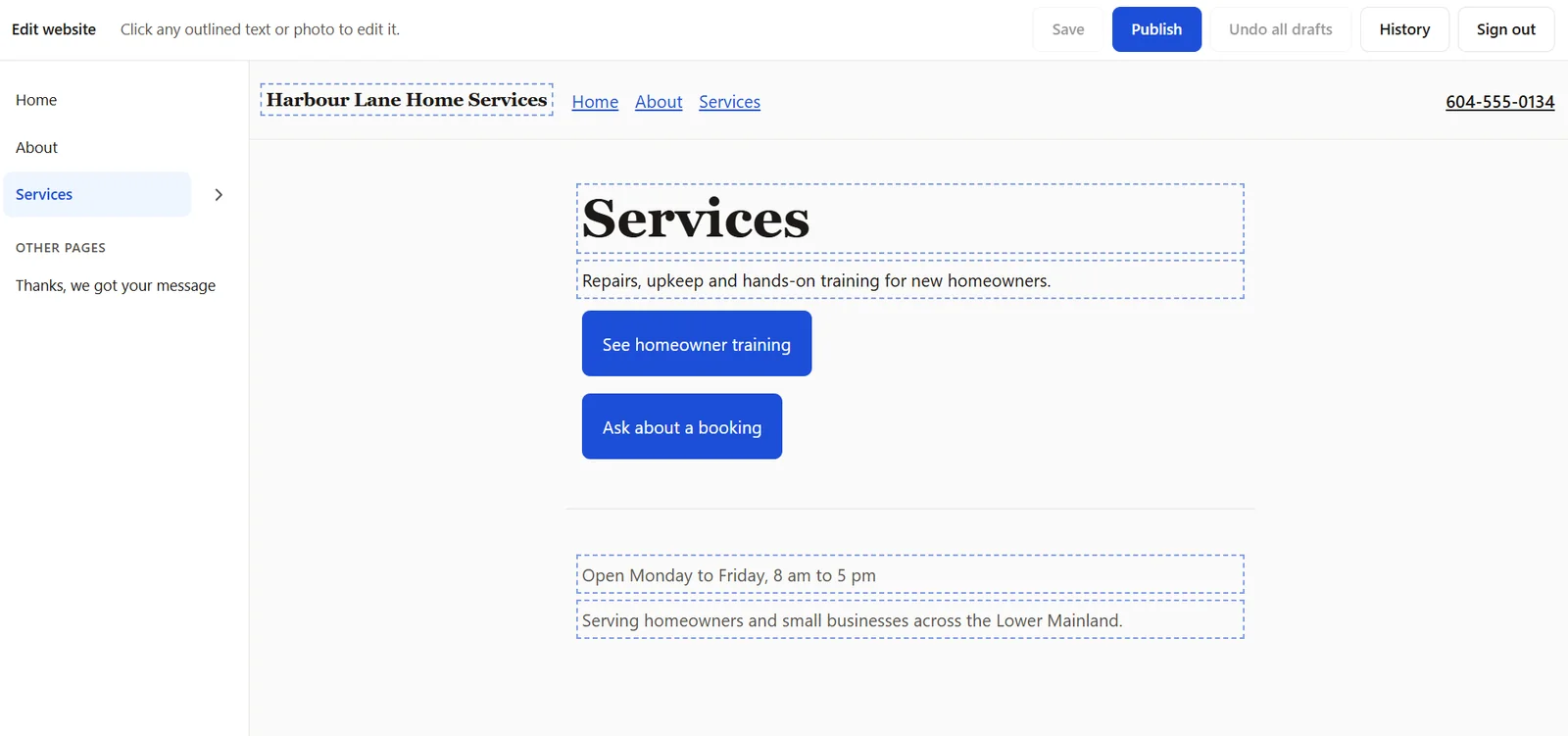
In our editor, you change the content: headings, paragraphs, photos, button words and list items like services or training dates. You also control your Google title and description.
Sections, layout, colours and fonts stay locked. That's on purpose, so you can't break the design by accident.
| What you want to change | You, in the editor | Us |
|---|---|---|
| Fix a typo or rewrite a paragraph | Yes | |
| Swap a photo and its description | Yes | |
| Update your hours or service-area line | Yes | |
| Add a service card, team member or training date | Yes | |
| Change the words on a button | Yes | Where it links |
| Edit your Google title and description | Yes | |
| Add, remove or reorder a whole section | Yes | |
| Change colours, fonts or layout | Yes | |
| Add a brand-new page | Yes |
We write down what you can edit before the build, so nobody assumes they can change everything. A clear list up front avoids a letdown later.
You set the Google title and description, but Google makes the final call on what appears. It says your title is one of several sources it uses (Google Search Central). It uses your description only "sometimes" (Google Search Central).
What does editing look like, step by step?
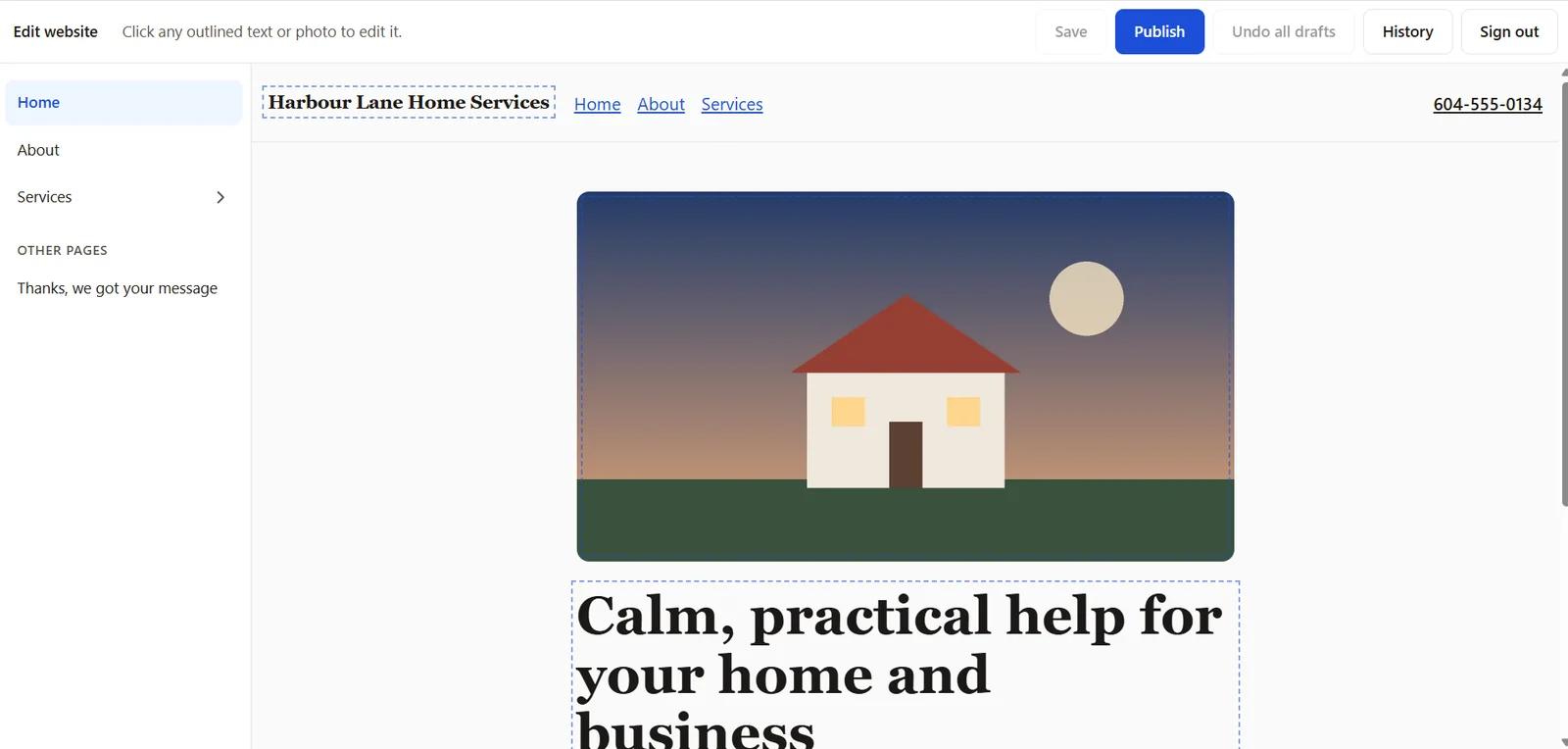
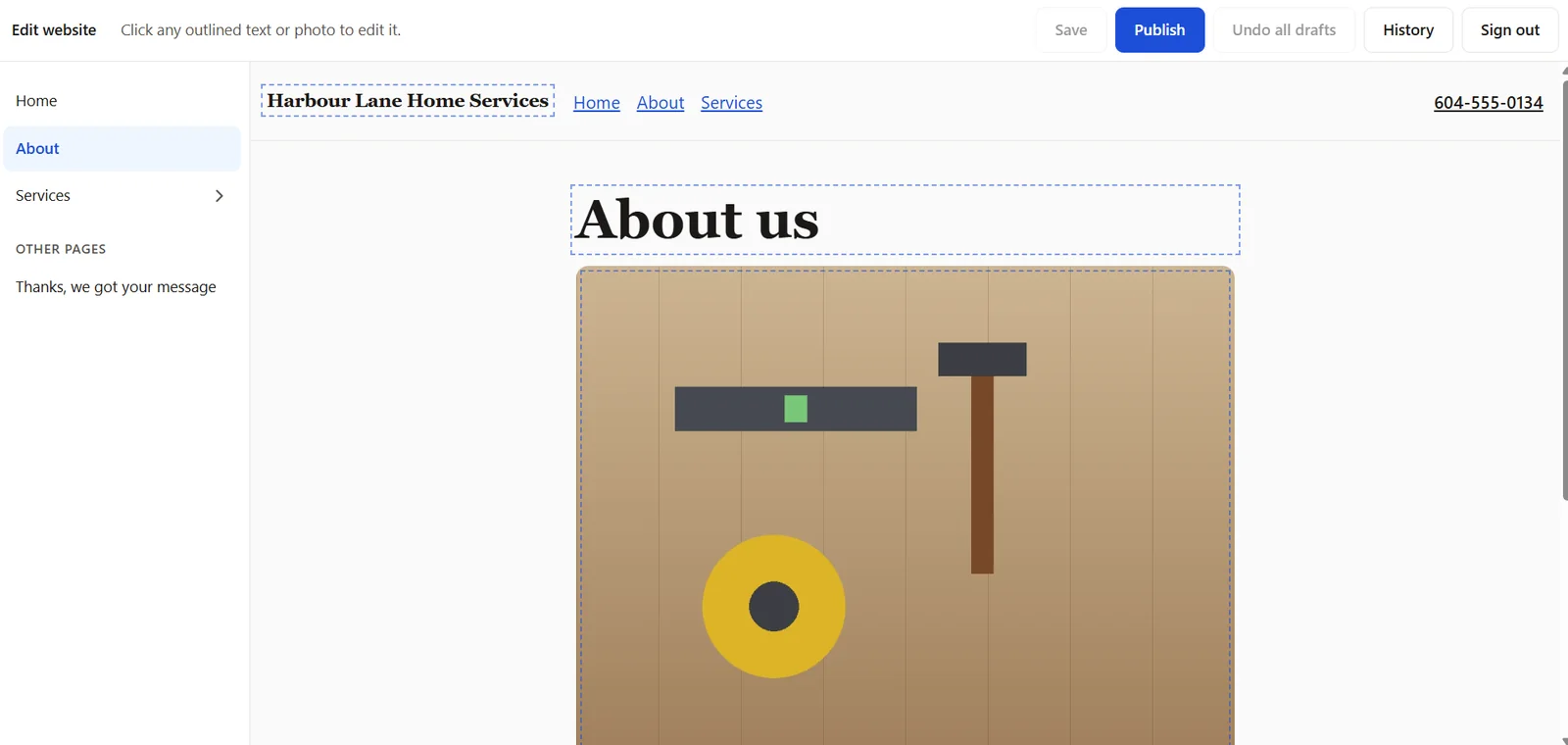
You sign in at your own edit address. Your real pages appear, with dashed outlines around anything you can change.
Click a heading or photo and make your change.
Save keeps a private draft. When it looks right, press Publish. The change goes live shortly.
Here's the full flow:
- Sign in. Your pages are listed on the left: Home, About, Services and the rest.
- Click any outlined text or photo. Type over it, or pick a new image.
- Save. Your change stays in a draft. Customers can't see it yet.
- Undo all drafts if you change your mind before publishing.
- History shows older versions. You can restore one.
- Publish. Your change goes to the live site.
See how it works on our custom-coded websites with the editor included.
Maybe a date or price is wrong right now. Your question is simple: "How do I update my website content?" This is the small job you were hoping for.
Say you run a dog daycare in Chilliwack and your holiday hours change. Click the hours line, type the new times, and publish.
From our own work
A new client who runs trauma-sensitive yoga trainings asked us this before we built her site. We built a demo site with an existing editor tool wired in.
Then we recorded her changing a training's status, dates and price, pressing Publish, and seeing the live page update. Seeing it happen answered her better than any sales pitch.
Can I add an editor to a site I already have?
Sometimes. If your files live in a code repository, an online folder for site code, an editor can often be added.
If the site was hand-built with no plan for content, adding one can be close to a rebuild. Have a developer look at the files before you pay for anything.
There are tools for the first case. Pages CMS, for example, is an editor for sites stored on GitHub, and it "edits files in your repository directly".
We set one up for a past client and it worked well. That's what convinced us to build our own editor for custom sites. It removes the one real downside of going custom.
In the second case, one developer put it bluntly: "You dont 'just add' a CMS. It could be a total rewrite" (r/webdev). That's why the editor question belongs before the build, not after.
What should I ask a web designer before the build?
Ask these four questions before you sign, so you know how much you'll depend on the designer:
- Can I edit it myself, and where?
- What exactly can I change?
- Whose name are the domain, hosting and code in?
- What does a change cost if I need you?
Get the answers in writing.
Owners who skip this often end up waiting. One owner whose family runs a medical centre wrote, "we usually don't hear back for several days" (r/webdev).
Keep the logins in your own name, and have the contract spell out code ownership. If you also want help with backups and updates, see what website maintenance costs in BC. For the build itself, our guide to custom website design cost in BC gives the price ranges.
Quick check
Can you edit your own website?
Answer six quick questions about the site you have now.
Answer all six to see your result.
Custom website vs template: which is easier to update?
Out of the box, a template or site builder is easier to update. You edit in the same tool you built with.
A custom-coded website matches that for everyday content once an editor is included. If you want to drag sections around and redesign pages yourself, a builder like WordPress or Wix fits better.
Most comparisons of custom websites and templates stop at price and launch time. Editing is the question owners ask us most. With an editor in place, it stops being the deciding factor.
What custom still brings is the design and the setup underneath. Pages built ahead of time load fast. Google's web.dev team says this approach shows the page quickly, with a "consistently fast" response from the web host (web.dev).
Every custom site we build also ships with the SEO groundwork in place.
If you're still weighing the two, read whether a website builder or a web designer fits you. For design freedom, SEO built in and an editor included, see our custom website design.
Frequently asked questions about editing your own website
Do I own my website's code?
That depends on your contract, so get it in writing. Ask for the domain, hosting and code account to be in your name. If you and your developer part ways, those three logins let someone else take over.
Is the editor included in the price?
Yes. The editor comes included with our custom-coded websites. There's no add-on fee for it.
Can I break my site with the editor?
Not the design. Sections, layout, colours and fonts are locked, so you can only change content. If you make a mistake, Undo all drafts clears unpublished changes, and History lets you restore an older version.
How fast do changes go live?
Shortly after you press Publish. Saved drafts stay private until then. You can work on a change without customers seeing it half done.
Can I change my Google title and description?
Yes. You can edit both in our editor. Google still decides what appears in search results, and it uses your description only some of the time.
How often should I update my website content?
Whenever a fact changes: hours, prices, dates, services or staff. Google recommends showing a visible "Last updated" date on pages you change. Old hours can cost you calls.

Harman Chahal
Want a custom site you can still edit yourself?
We build custom-coded websites for service businesses in Abbotsford and across the Lower Mainland. Each comes with SEO built in and the editor included. Book a free call and try a change in our demo editor yourself.