
Short answer
Google Business Profile is free reach near your own address; Google Ads is paid reach in any city you choose. Measure both before you move any budget. Your Business Profile's free Performance tab shows calls, website clicks, direction requests and messages, and since June 2026 you can link it to Google Analytics and read it beside your ads. Google keeps only the last 6 months, so check monthly.
Every month you pay for Google Ads. But is it actually beating your free Google Business Profile? Most owners never check. They run ads out of habit and hope the phone rings.
This guide is about Google Business Profile vs Google Ads — and how to tell which one brings you more customers, so you stop paying for the wrong one. It is written for local service business owners in the Lower Mainland, not for marketers. No jargon.
The good news: you can now see both in one place. Here is how to read the numbers and make a real money decision.
Should you spend on Google Ads or your Google Business Profile?
Start by measuring both, then put your money where the customers are already coming from. Your Google Business Profile is free reach on Search and Maps. Google Ads is paid reach. Before you guess, look at what each one actually delivered last month.
| Google Business Profile | Google Ads | |
|---|---|---|
| Cost | Free | You pay for every click |
| Speed | Slow to build, lasts | Instant, stops when you stop paying |
| Where it works | Mostly your own local area | Any city you choose |
| Best for | Customers near you, long term | Fast leads, new areas |
Most owners should run both for a while, then shift money toward whichever one proves it works. The rest of this guide shows you how to prove it.
How do you see what your Google Business Profile actually brings in?
Open the free Performance tab on your Business Profile. It shows you calls, website clicks, direction requests, and messages from people who found you on Google Search and Maps. You do not need any extra tools to see it.
Google's own Business Profile performance guide lists what you get: the number of times someone tapped your call button, clicked your website link, asked for directions, or started a message. It also shows how many people viewed your profile. This is the quickest way to check if your listing is busy.
The catch is that this report lives on its own. It does not sit next to your website visits or your Google Ads spend. So you can see that your profile got 40 calls, but you cannot easily compare that to what your ads cost you. That is the gap the next step fixes. If your profile is quiet, that is a sign it needs work — our Google Business Profile optimisation service starts there.
How do you compare it against your Google Ads in one place?
Connect your Google Business Profile to Google Analytics. Once linked, your profile actions show up inside Analytics next to your website traffic, your Google Ads results, and your other marketing. Everything sits in one report instead of four.
This connection rolled out in June 2026. You set it up in the Google Analytics Admin panel, under Product links, then pick your Business Profile (Google Analytics Help). A new "Google Business Profile" section then appears in your reports. As Search Engine Journal reported, it brings seven metrics into Analytics: interactions, website clicks, calls, directions, messages, bookings, and menus.
Be clear on one thing: this is not new magic data. Your Performance tab already showed most of it. The win is that it now lives in the same place as everything else. For a business owner, that means one clean monthly report. For an agency like ours, it means we can put your Google listing, your website, and your ads on the same page and actually compare them.
So which one should you put your money into?
Compare the leads from each channel, then move your budget toward the one that wins. With your Business Profile and Google Ads side by side in Google Analytics, you can finally see correlations between what you spend and what you get back (Google Analytics Help). That turns a guess into a decision.
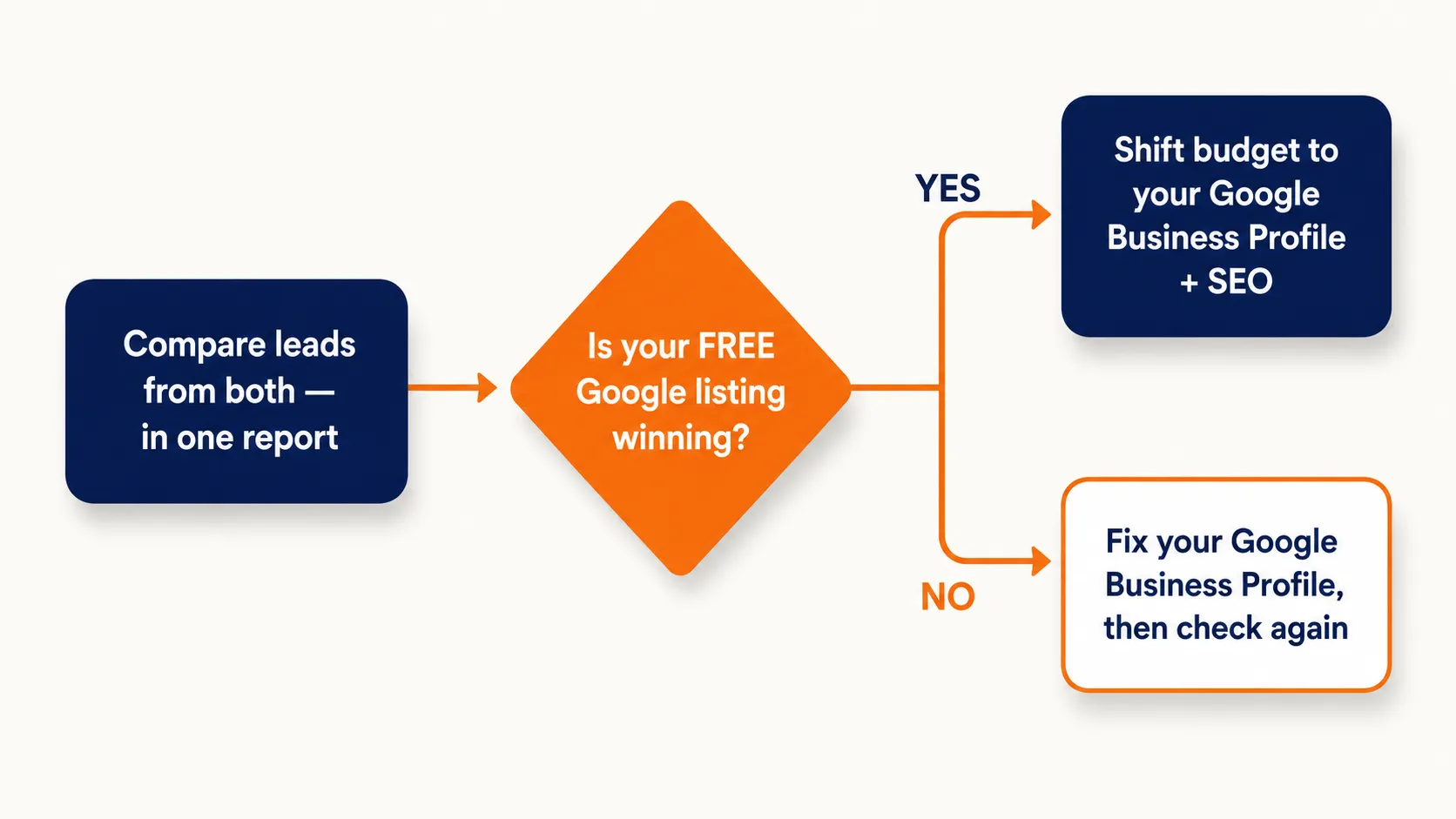
Here is how I walk a client through it:
- If your free Google listing is bringing more calls than your paid ads — cut back on the ad spend and put that effort into your Business Profile and local SEO. You are paying for clicks you could get for free.
- If your ads are carrying you and your listing is quiet — the fix is to improve the Business Profile, not just keep feeding the ads. A weak listing is a leak you can plug.
From our projects
I set up Google Analytics, Search Console, and the Google Business Profile on every website build — not as an upsell, as standard. That is how I can prove the work. Super Sanitation ranks #1 for "sanitation services Abbotsford". Paws by the River sits #1 in the Chilliwack Maps 3-pack for "dog walking chilliwack". DELANA Interiors ranks #1 in West Vancouver for "kitchen renovation" with 17 reviews — beating a competitor with 267. All three get steady calls from their free listing, in their own area, without paying for ads there.
Why your Google Business Profile only works where your office is
Your Business Profile ranks where your business is physically located — not everywhere you want to work. If your only office is in Abbotsford, your listing will show up in and around Abbotsford. It will not put you on the Map in Surrey or Vancouver. A profile is tied to a real address.
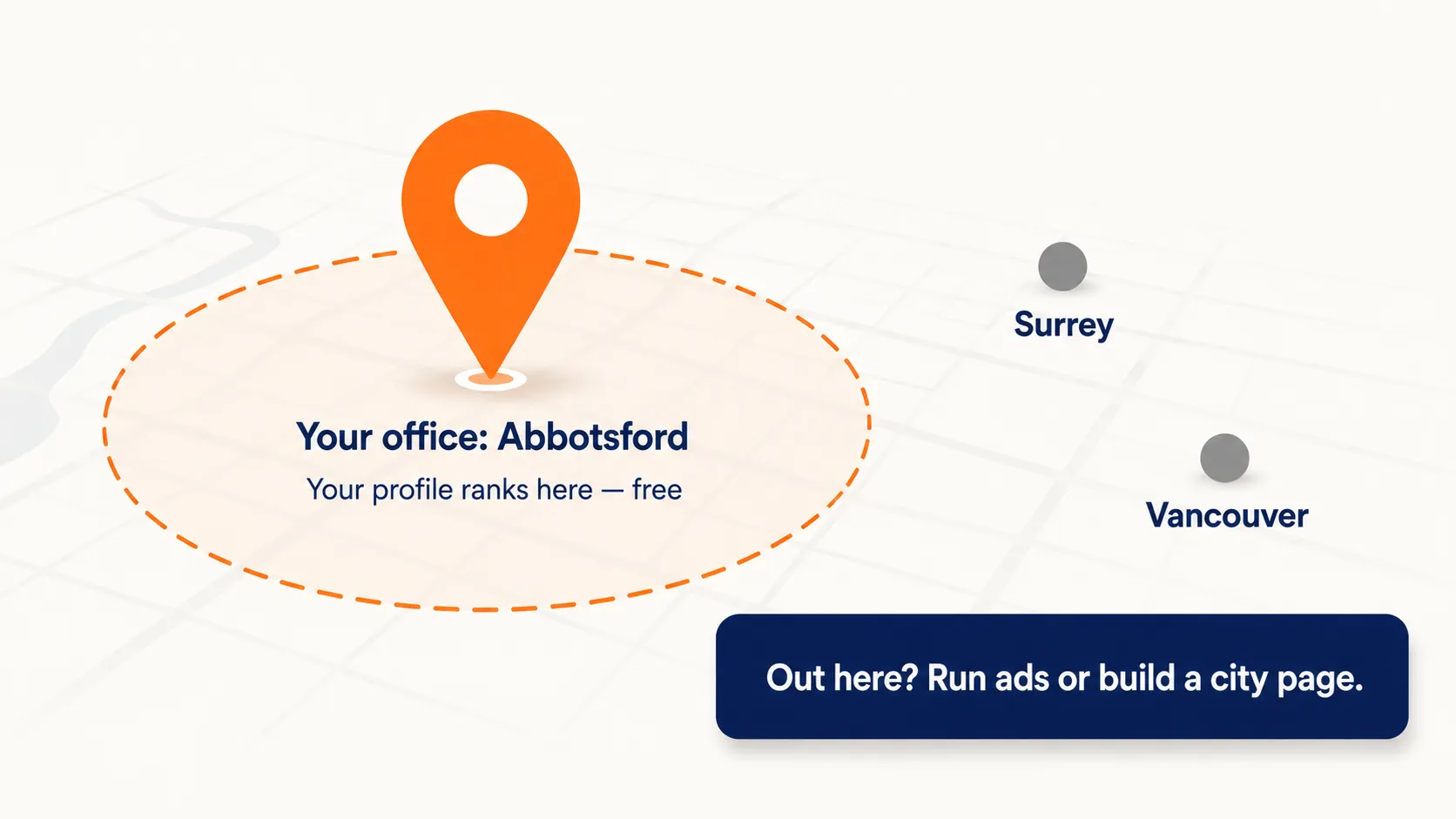
This is the part most owners do not know, and it changes the whole money decision. Your Google Business Profile is your strongest, cheapest tool for your own city. For cities where you have no address, it can barely help you.
So how do you get customers in a city where you have no office? You have two paths. The fast one: build a dedicated page on your website for that city, link it from your home page, and run Google Ads to it. You pay for it, but you get leads there now. The slower one: earn that area over months with local content, reviews from customers there, and links from local blogs — real local SEO work. That full playbook is its own guide, coming soon on the IshaanEx blog. For now, the short version: no office in that area usually means ads or a city page, not your Business Profile.
What the numbers can't tell you (the UTM fix)
The numbers show that people clicked, but not what happened next — so add a UTM link and call tracking to fill the gaps. On its own, the Google connection shows actions on your profile. It does not fully show what a visitor did after they reached your website.
To track that, put a simple UTM link on your Business Profile's website button. Google's free campaign URL builder makes one for you. It tags the link so Analytics can see what those visitors did on your site — did they read a service page, fill the form, or leave fast? A common tag looks like this: ?utm_source=google&utm_medium=organic&utm_campaign=gbp.
Two more honest limits. First, a call "click" is not a finished job — it does not tell you if the call was answered or became a paying customer. For that you still need call tracking or a simple CRM. Second, Google keeps this Business Profile data for the last 6 months only, and if you have more than one profile linked, the numbers are added together and cannot be split apart (Google Analytics Help). So check it monthly and keep your own record.
Frequently asked questions about Google Business Profile and Google Ads
Is Google Analytics free for business?
Yes. Google Analytics is free for nearly every small business. You only pay for the enterprise version, which local service businesses in the Lower Mainland do not need. Linking your Google Business Profile to it is also free. The only real cost is the time to set it up, or an agency to do it for you.
Can I see how many people found me on Google?
Yes. The Performance tab on your Google Business Profile shows how many people viewed your profile on Search and Maps, plus how many called, clicked your website, or asked for directions. It does not name the people — it shows counts, not contacts. That is normal and follows Google's privacy rules.
How long does Google keep my Business Profile data?
Inside Google Analytics, your Business Profile data is kept for the last 6 months only. Even if you pick a longer date range, the report still shows just those 6 months. That is why I tell clients to check it every month and save a copy, so you can compare against last year later.
How do I download a Google business performance report?
You can export your Business Profile performance from the Performance tab, or pull it from Google Analytics once the two are linked. For client reporting, Analytics is the cleaner choice because it puts your listing, website, and ads in one export. Most owners just need a monthly screenshot of calls, clicks, and direction requests.
Does connecting it replace call tracking?
No. The connection shows that someone tapped your call button. It does not tell you if the call was answered, how long it lasted, or whether it became a paying customer. For real lead tracking, you still need call tracking software or a simple CRM. Use the Google data for the big picture and call tracking for the proof.
How do I track performance on Google My Business?
Google My Business is now called Google Business Profile — same product, newer name. You track it in the Performance tab on Search and Maps, or by linking it to Google Analytics for a fuller picture. If you serve more than one city in the Lower Mainland, pair it with a dedicated local SEO plan, since your profile mainly ranks in your home area.

Harman Chahal
Not sure if your ads or your Google listing are working?
IshaanEx Digital is an Abbotsford SEO and web design agency. We help small local service businesses across the Lower Mainland show up on Google, get found, and turn searches into phone calls. Real proof: DELANA Interiors #1 West Vancouver Map Pack. Super Sanitation #1 Abbotsford. Paws by the River #1 Chilliwack 3-pack.
I will link your Google Business Profile to Analytics, show you which channel actually brings the calls, and tell you straight whether to keep paying for ads. When you are ready, our Google Business Profile optimisation service starts at $97/month, or get full local SEO from $397/month.